Upstage Products Evaluation — Model Test 2: Information Extract
Model Test 2 / Information Extract — a controlled capability check.
What I tested & how
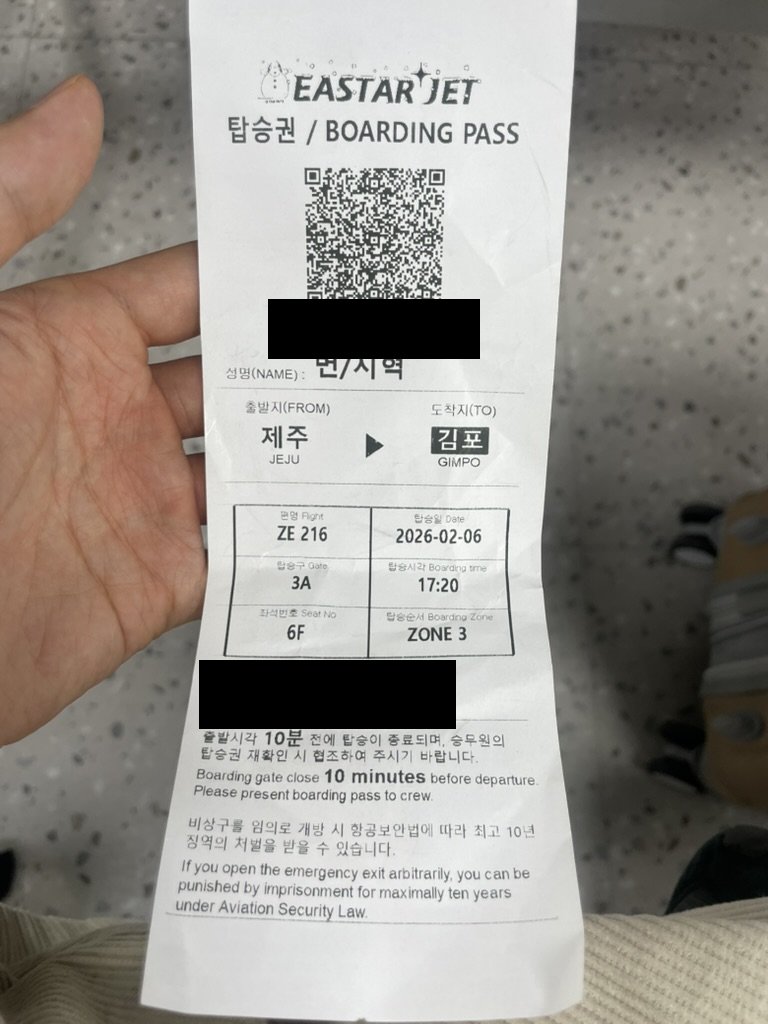
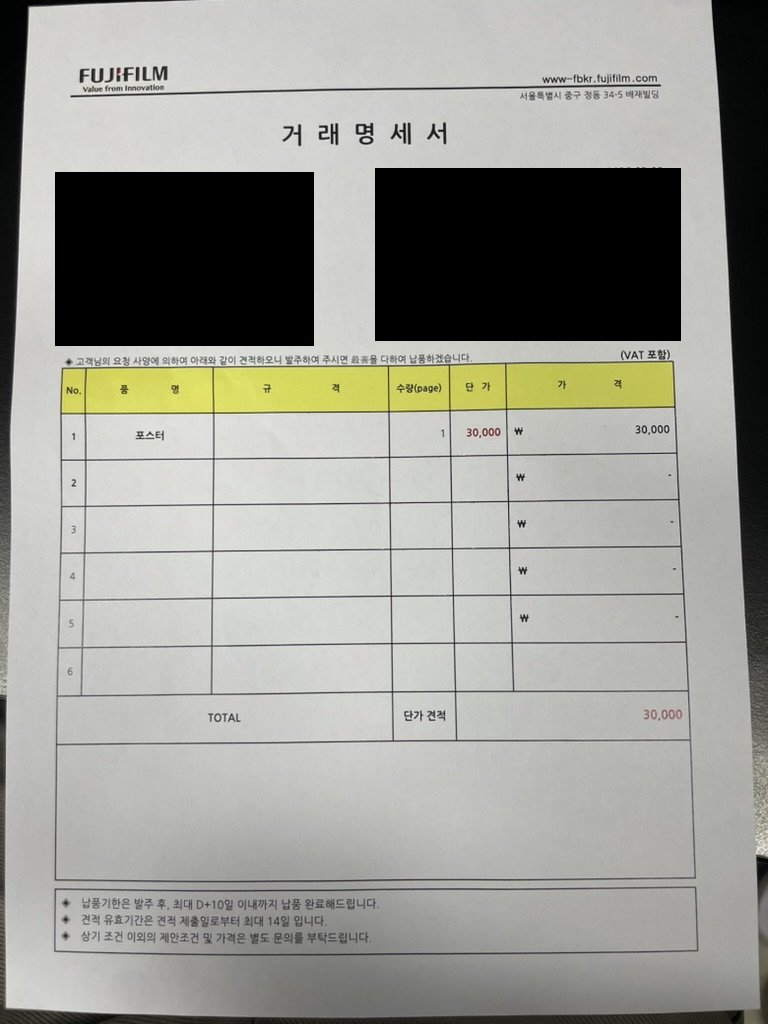
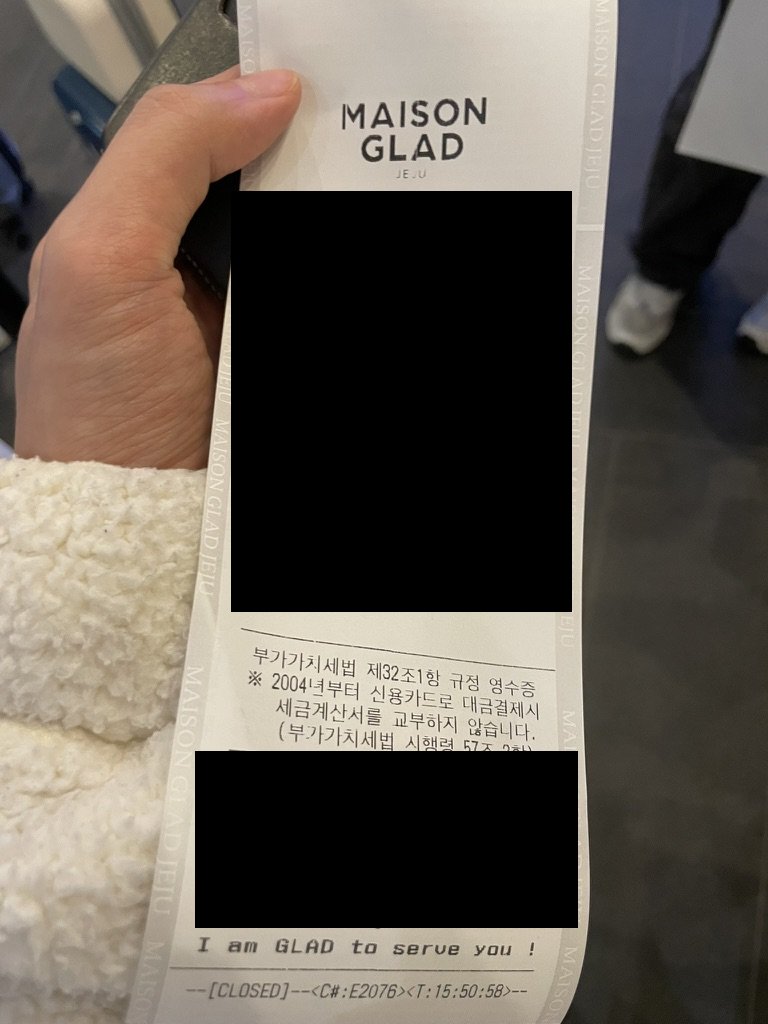
Information Extract pulls structured fields from a document given only a user-defined JSON schema (no fine-tuning; the field description is the instruction channel). I ran it on five photos I took myself — a creased boarding pass, a clean transaction statement, two receipts, a handwritten exam sheet — and scored per-field accuracy/F1 against hand-made ground truth.
On top of plain accuracy I added two robustness probes, because that’s where the interesting failures live:
- Wrong schema — apply the hotel-receipt schema to the boarding pass: does it invent the absent fields?
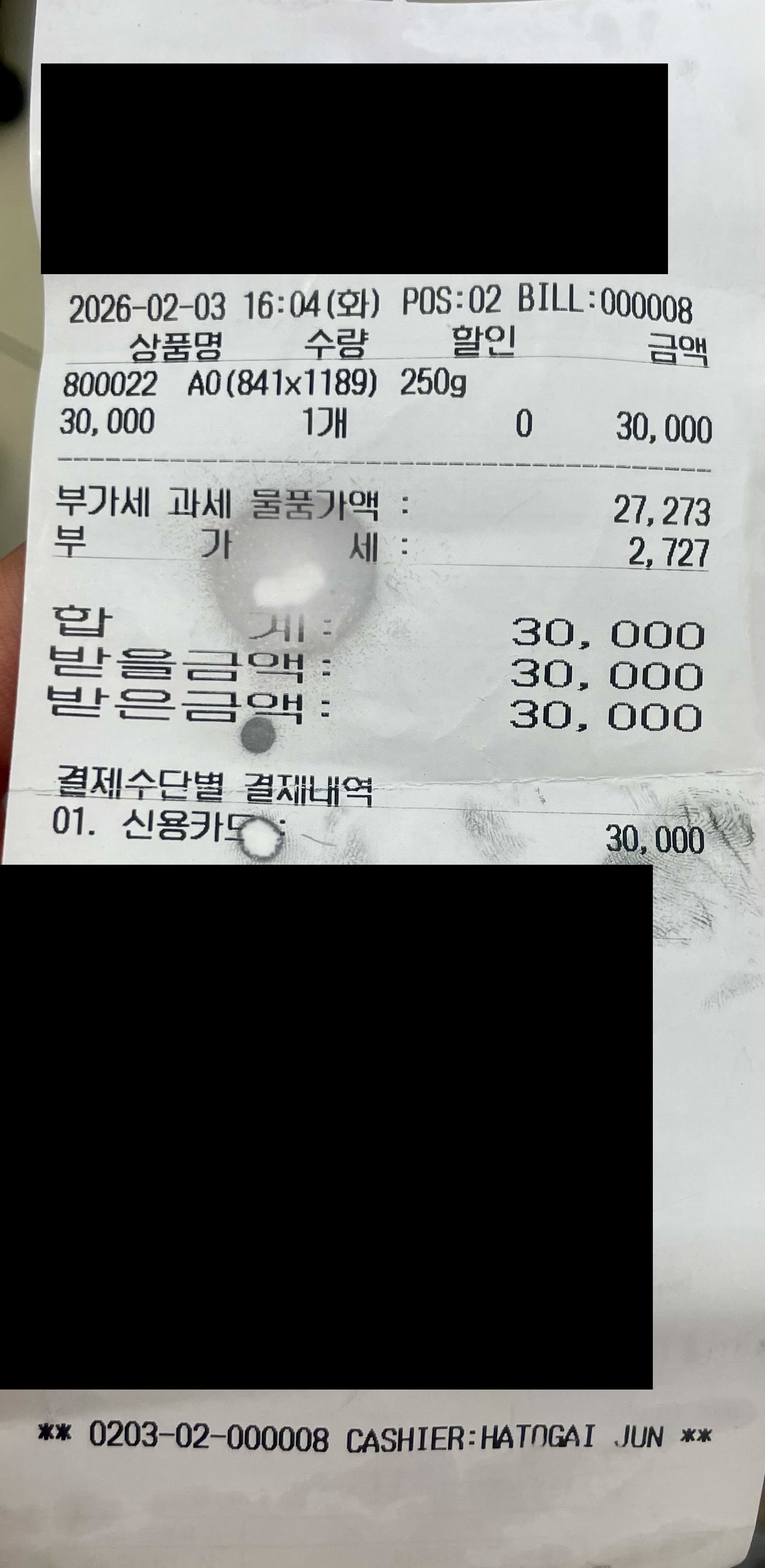
- Occlusion — a receipt with fields hidden under a smudge: does it guess, or admit it can’t read?
Because temperature isn’t exposed, I cache outputs (image + schema hash) so results are reproducible.
Setup
- Model:
information-extract,response_format=json_schema, per-document schema (gt/exp2_schemas/) - Dataset — 5 heterogeneous documents. All are photos I took myself (JPEG) — every one is an in-the-wild capture.
| Document | Input | Condition / damage | Extraction challenge |
|---|---|---|---|
| Airline boarding pass | photo (scan) | creased | small fields packed together (seat, gate, …) |
| Transaction statement | photo (scan) | clean | multi-item line-item table |
| Hotel card receipt | photo (scan) | fairly clean | amount / card fields |
| Print-shop receipt | photo (scan) | partly hidden by a white smudge (occlusion) | occluded fields — guess vs. honesty |
| Multiple-choice exam sheet | photo (scan, 6 pp) | handwriting + circles | handwritten, irregular marking (covered in depth in the auto-grader experiment) |
- Metric:
- per-field accuracy (exact) / F1 vs. GT
- valid-JSON rate
- whether it hallucinates
- Reproducibility:
temperatureis unsupported → fixed via output caching (image + schema hash). - Prompt used: IE also has no NL prompt — the schema field
descriptionis the instruction channel. Example (part of the boarding-pass schema):{"airline": {"type":"string","description":"airline"}, "flight_number": {"type":"string","description":"flight number"}, "seat": {"type":"string","description":"seat"}, "gate": {"type":"string","description":"gate"}}
Result

The 5 input documents (PII masked): creased boarding pass · transaction statement · hotel card receipt · print-shop receipt partly hidden by a white smudge · handwritten+circled exam sheet.
| Document | field accuracy | Wrong fields |
|---|---|---|
| Transaction statement | 1.000 | — |
| Hotel receipt | 0.923* | (GT is an IE-based draft, needs review) |
| Print-shop receipt | 0.875 | card_issuer (사드 ← should be 비씨카드/BC Card), card_number (leading 4 dropped) |
| Boarding pass | 0.800 | seat↔gate swap (seat=6F·gate=3A flipped) |
- Valid JSON 5/5. Only the transaction statement appended 5 empty line-items, dropping its F1 to 0.5.
It doesn’t invent values even under a wrong schema (robust).
- Applying the hotel-receipt schema to the boarding pass, all the absent amount fields were left as 0/empty. (no hallucination)
- It does map across when the meaning is close, though —
airline→merchant_name.
Occluded fields are filled with a “plausible value,” but an instruction corrects that.

The actual IE output for the smudge-hidden [installment_months] and [card_number]. By default it guesses installment_months as "0", but with the instruction “leave it empty if not visible” it corrects to "". It drops the card number’s leading digit (4) rather than inventing it.
- installment_months: left alone, it returns
0(guessing single-payment); instructed to “leave empty if not visible,” it returns an empty value honestly. - card_number: it leaves the hidden leading digit blank rather than making one up.
- The card issuer (not under the smudge) is misread as
사드— a small Korean-recognition error.
Finding
- Zero-shot extraction across heterogeneous documents works
- it handles receipts, invoices, and boarding passes from the schema alone, with no training.
- It doesn’t invent absent fields even under a wrong schema (0/empty)
- robust. It does perform close-meaning mapping (airline→merchant), though.
- Occluded fields are filled with a plausible value by default (
'0'= guessing single-payment);- the “return null if not visible” instruction corrects it honestly → don’t trust the defaults when extracting from damaged documents.
- The small Korean misreads and the seat/gate swap leave room for strengthening the description
- (the auto-grader experiment confirms
mode=enhancedcontributes a lot on handwriting).
- (the auto-grader experiment confirms
Appendix — Code · Dataset
Code (single notebook): exp2_information_extraction.ipynb
- Shared modules:
code/upstage_eval.py(ie_extractwith caching) ·code/metrics.py(field_scores).
Dataset (5 documents, PII-masked) — download: ie_boardingpass_masked.jpg ie_invoice_fujifilm_masked.jpg ie_receipt_hotel_masked.jpg ie_receipt_cafe_masked.jpg ie_quizsheet.jpeg
- Schemas
gt/exp2_schemas/· scoresresults/scores_ie.json· defect outputresults/ie/_defect_experiment.json - Unmasked originals are withheld as PII.
Enjoy Reading This Article?
Here are some more articles you might like to read next: